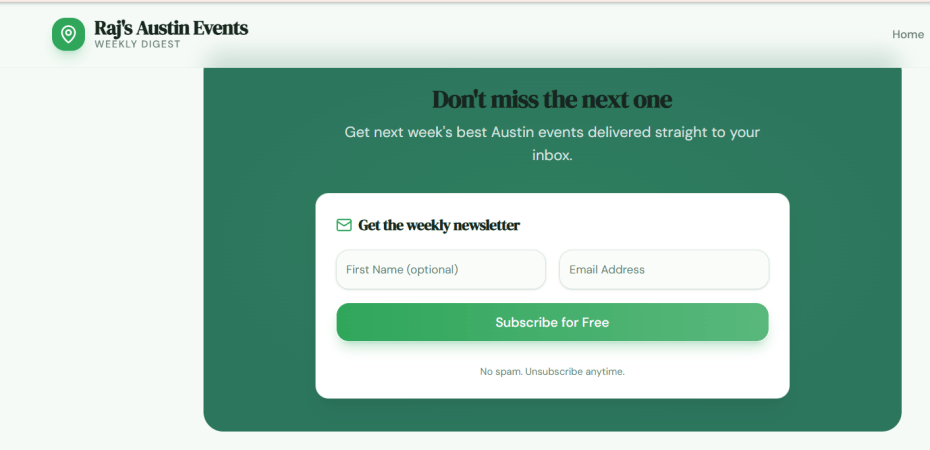
I’m overloaded with lots of event newsletters. I live in the suburbs and don’t have time to make most of Austin’s cool events. I RSVP often and don’t show up. I show up when I’m able to carpool with someone. It helps lower my carbon footprint, too. After surveying a few event organizers, I learned that many people don’t show up, especially to free events.
Eventcarpooling — Local Events, Weekly Digest
Here’s a summary of the project execution which involved zero coding on my end and no other parties.
First went live: March 29, 2026 — the entire app was built and deployed in a single day from scratch.
4 phases over 75 days:
- Mar 29 — Full build & launch (frontend, backend, Gmail ingestion, email newsletters, admin panel)
- Jun 8–9 — Carpool RSVP system, subscriber notifications, UX polish
- Jun 10 — Clickable source attribution, description fixes, chronological ordering
- Jun 11 — 3 new newsletter parsers (ATX Today, What’s Weird ATX, The Weekly Common), Featured Event callout, World Cup event added, Music added
~59 distinct feature stories shipped since March 2026 — not counting bug fixes, date corrections, or security patches.
Key stats:
- ~4,600 lines of custom code (~10,400 including the UI component library)
- Published to production ~160+ times, continuous feature buildout and bug fixes — ongoing through today
- 5 active event sources, 23 events in the current digest
- 12 API routes, 3 database tables
Requirements:
Core App & Infrastructure
- Personalized newsletter & event listing website (initial build)
- PostgreSQL + Drizzle ORM database setup
- Express API with OpenAPI spec + codegen
- Gmail/IMAP integration for reading newsletters
- Admin dashboard with password protection
- Add project plan document
Newsletter & Email
7. Send weekly newsletter to subscribers
- Welcome emails for new subscribers
- Admin email notifications for new signups
- Hyperlinked event sources + clickable title in email
- Beta badge in emailed newsletter header
- Chronological event sorting in email
- Centered unsubscribe link in email footer
- Featured event highlighting in email
- Update email sender to personal account
- Ability to update newsletter intro text
- Ability to update newsletter subject + date range
- Add Station Austin as newsletter source
Event Digest / Full Edition Page
19. Category filters (Tech / Arts / Sports)
- Add Civics category
- Special featured event section on digest page
- Show all featured events (not just first)
- Special event highlighting on landing page
- Make event titles clickable links
- Visual link indicator on event cards
- Hover preview tooltip on event title cards
- Event source citations as clickable links
- Chronological event ordering + description truncation fix
- Filter out past events from display
- Ability to generate past newsletter editions
- Add anchor to subscribe section on digest pages
- Remove past editions from landing page
Carpooling Feature
33. Carpooling interest feature on event listings + newsletters
- Carpool email matching (direct connection between riders)
- Consolidated carpool notification emails
- Improved carpool notifications with reply-to + email addresses
- Admin endpoint to resend carpool notifications
- Auto-add carpool responders to subscriber list
- Admin carpool RSVP alerts
Website Design & UX
40. Light green color scheme
- “In Real Life” header with stylish fonts
- “Beta Launch” badge in header
- Beta Launch badge visible on mobile
- Social media sharing image
- Remove social media links from footer
- Scroll-to-top on page navigation
Background Music
47. Spanish guitar background music added
- Music persists across page navigation
- Autoplay behavior (on → then toggled to manual)
- Volume tuning (multiple iterations = 1 story)
- Mobile vs. desktop volume adjustment
Admin Tooling
52. Tool to update newsletter subject lines
- Ability to update event links
- Add ability to update event intro text
- Add ability to update subject + week-of date
- Add admin endpoint for digest meta updates
- Ability to import events from external sources
- Event source information on listings
Security
59. Turnstile (CAPTCHA) on subscribe/login forms

